10. Finishing Styling (Challange)
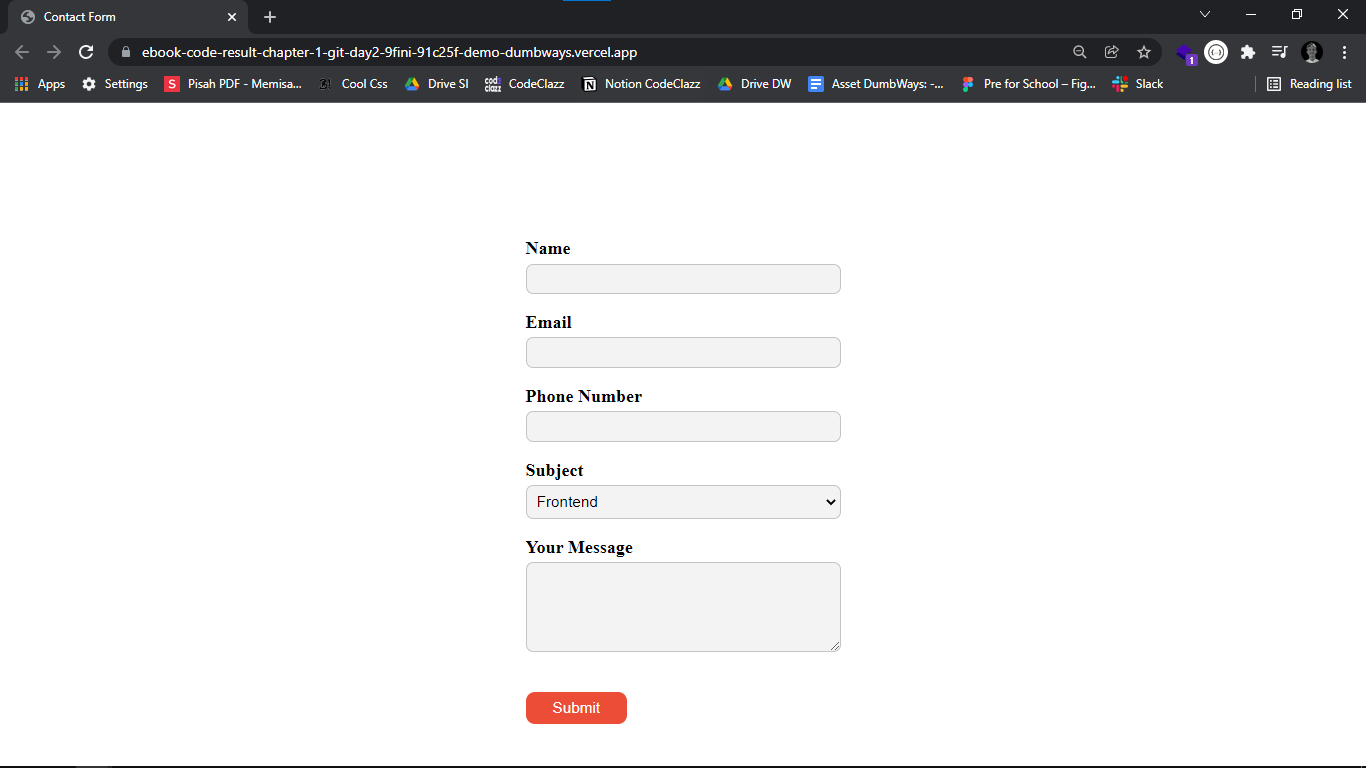
Kita akan menambahkan styling pada formulir yang sudah dibuat, styling yang akan kita gunakan adalah terkait lebar, margin, padding, border, serta warna background inputan.
Contoh code
index.html
<!DOCTYPE html>
<head>
  <title>Contact Form</title>
</head>
<body>
  <center>
    <div style="width: 350px; margin-top: 150px">
      <form action="" style="text-align: left">
        <div>
          <label for="name" style="font-size: 20px; font-weight: 700">Name</label>
          <input
            id="name"
            type="text"
            style="
            width: 100%;
            box-sizing: border-box;
            padding: 8px;
            margin-top: 5px;
            margin-bottom: 20px;
            background: #f4f3f3;
            border: 1px solid #c4c4c4;
            border-radius: 8px;
            "/>
        </div>
        <div>
          <label for="email" style="font-size: 20px; font-weight: 700">Email</label>
          <input
            id="email"
            type="email"
            style="
            width: 100%;
            box-sizing: border-box;
            padding: 8px;
            margin-top: 5px;
            margin-bottom: 20px;
            background: #f4f3f3;
            border: 1px solid #c4c4c4;
            border-radius: 8px;
            "/>
        </div>
        <div>
          <label for="phone" style="font-size: 20px; font-weight: 700">Phone Number</label>
          <input
            id="phone"
            type="text"
            style="
            width: 100%;
            box-sizing: border-box;
            padding: 8px;
            margin-top: 5px;
            margin-bottom: 20px;
            background: #f4f3f3;
            border: 1px solid #c4c4c4;
            border-radius: 8px;
            "/>
        </div>
        <div>
          <label for="subject" style="font-size: 20px; font-weight: 700">Subject</label>
          <select
            id="subject"
            style="
            width: 100%;
            box-sizing: border-box;
            padding: 8px;
            margin-top: 5px;
            margin-bottom: 20px;
            font-size: 17px;
            background: #f4f3f3;
            border: 1px solid #c4c4c4;
            border-radius: 8px;
            ">
            <option>Frontend</option>
            <option>Backend</option>
            <option>Full-Stack</option>
          </select>
        </div>
        <div>
          <label for="message" style="font-size: 20px; font-weight: 700">Your Message</label>
          <textarea
            id="message"
            style="
            width: 100%;
            height: 100px;
            box-sizing: border-box;
            padding: 8px;
            margin-top: 5px;
            margin-bottom: 40px;
            font-size: 17px;
            padding: 8px;
            background: #f4f3f3;
            border: 1px solid #c4c4c4;
            border-radius: 8px;
            ">
          </textarea>
        </div>
        <button
          style="
          padding: 8px 30px;
          font-size: 17px;
          background: #ec4d37;
          border-radius: 10px;
          border: none;
          color: #fff;
          cursor: pointer;
          ">Submit
        </button>
      </form>
    </div>
  </center>
</body>
</html>